
Fulfilling Document Requests
Borrowers can easily view and manage all requested documents within the Documents section of the POS portal.
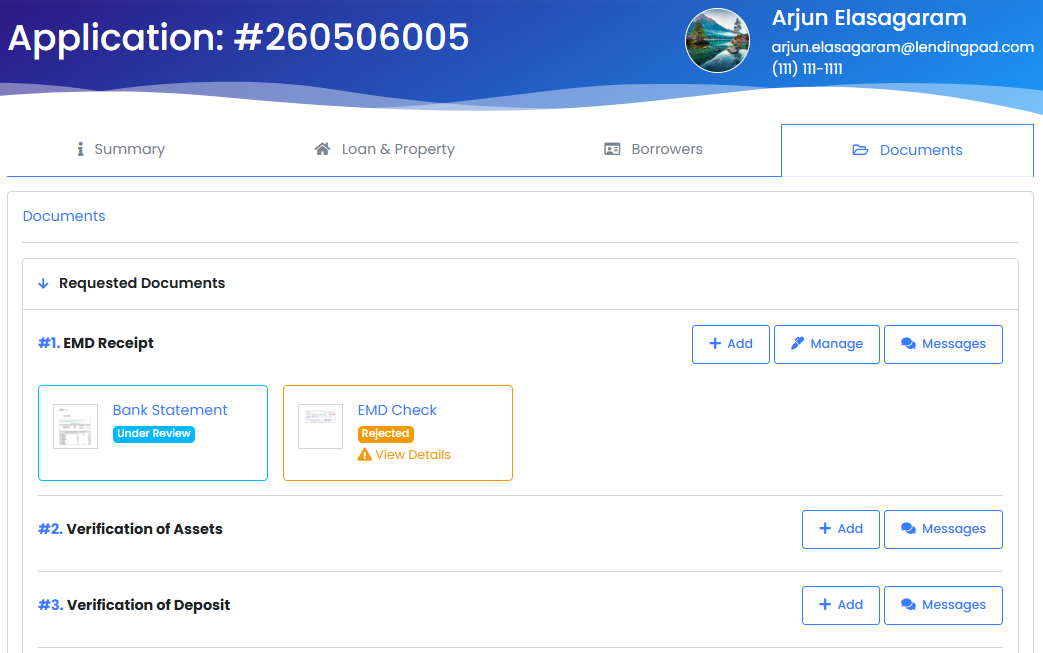
- Secure Uploads: Borrowers can securely upload their files directly to the associated Borrower Need by selecting the Add button. Supported document types that can be uploaded include pdf, jpeg, png, and csv files.
- Direct Messaging: If a borrower has a question about a specific document, they can send and receive direct messages with the loan team right on the document request itself.
- Status Tracking: Borrowers can track the status of their submissions in real-time, allowing them to see when a document is pending review, approved, or if it has been rejected (including the reason for rejection so they can upload a corrected version).
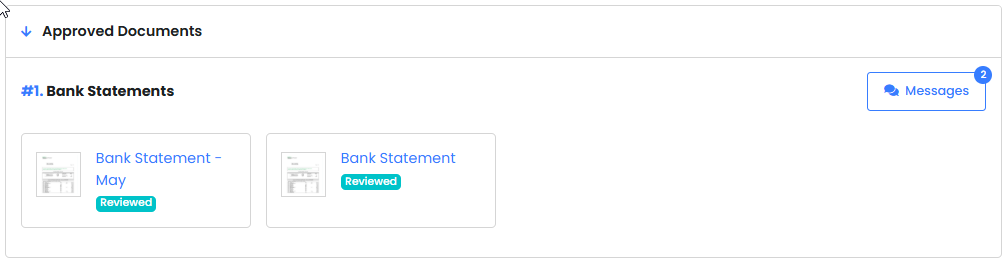
- Final Approval: Once the Borrower Need is fully approved by the lender, the completed need is moved to the Approved Documents section at the bottom of the page.
Answering Custom Questions
When a loan team needs additional information outside of the standard application, borrowers will see these as custom questions within their portal, under the Borrowers section. They can easily provide their answers directly in the provided fields.

Important Note: Borrowers are only able to answer custom questions in Borrower Needs up until the point the loan is submitted in the POS. After the application is officially submitted, question responses are locked and are no longer editable by the borrower.