
Step-by-step guide
- Check minimum system requirements here.
- Check wireless internet connection if applicable. Go to fast.com. The recommended speed is 50 Mbps for both upload and download.
- Apply software updates to both the operating system. (search for "Windows Updates" on your computer and follow prompt).
- Check your Profile (upper right corner below your name) → Edit Profile → Session Timeout (minutes) to extend session time.
- Update the Chrome browser. (Settings → About Chrome, Update or type in chrome://settings/help in URL)
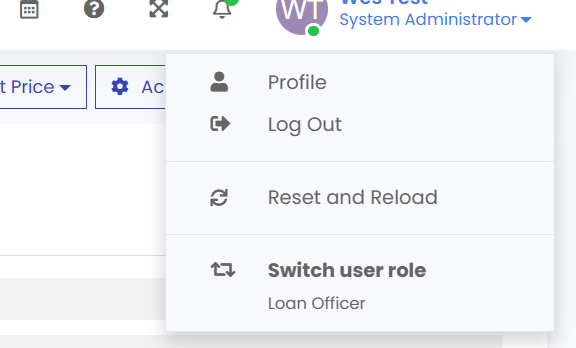
- Go to your profile inside of LendingPad at upper right corner, expand the drop down by clicking on your name and select "Reset and Reload".
Often times, resetting browser to factory condition will help. Type in chrome://settings/?search=reset in URL section, scroll down to "Reset and clean up" section to "restore settings to their original defaults".
Do NOT share the same account as this will log each other out and cause issues. One person per ID is required in compliance with LendingPad licensing requirements.